Solutions Features Use cases Home Contact us Book a demo →
Product · Creavo Screen

Manage digital screens from one app

Creavo Screen is a modern and easy-to-use app for managing digital screens. Update menus, ads, campaigns and presentations directly on your screens from one clear dashboard — remotely, whenever it suits you.

  • No USB sticks, no separate media players
  • All screens under one account, with remote management
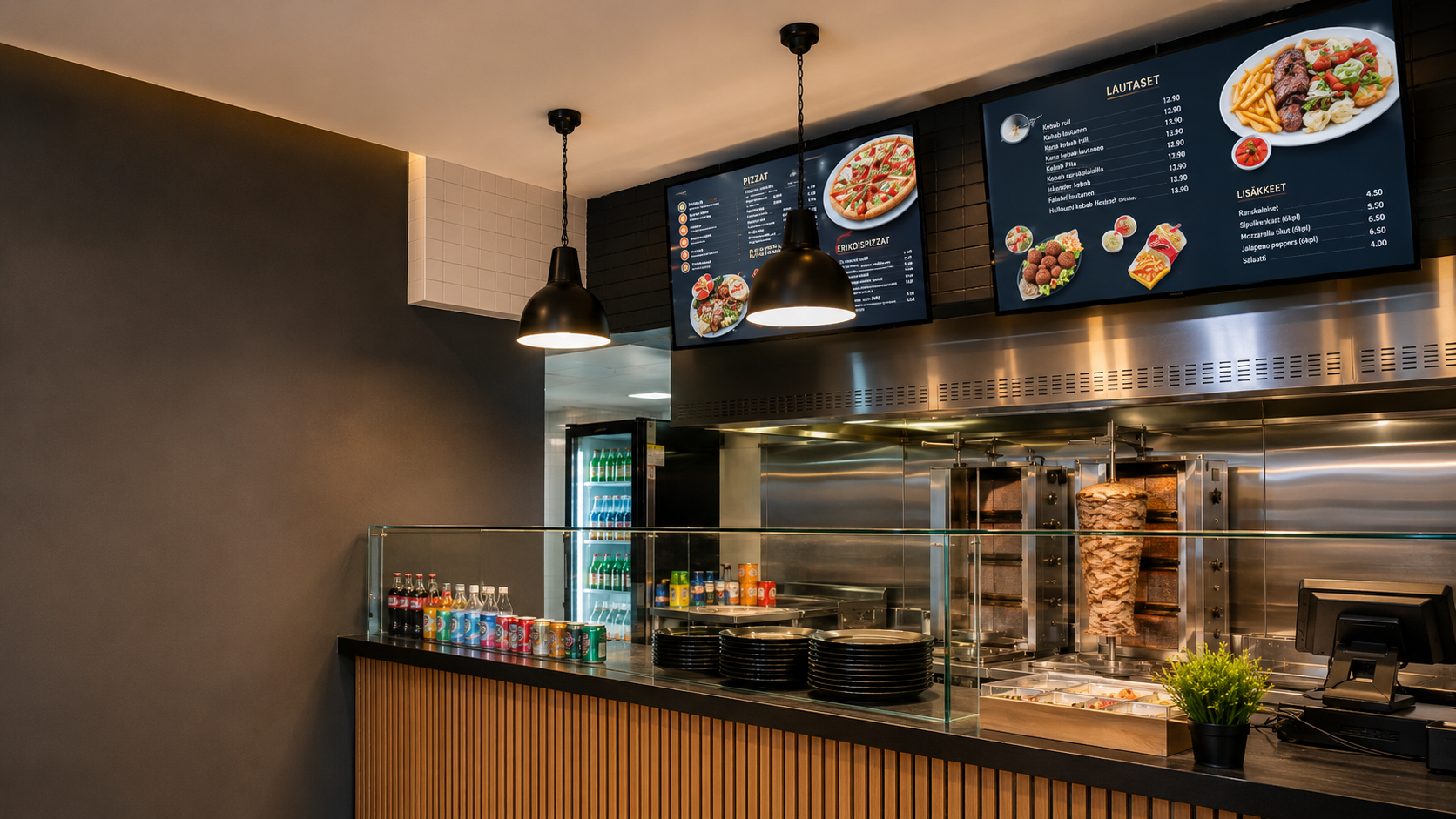
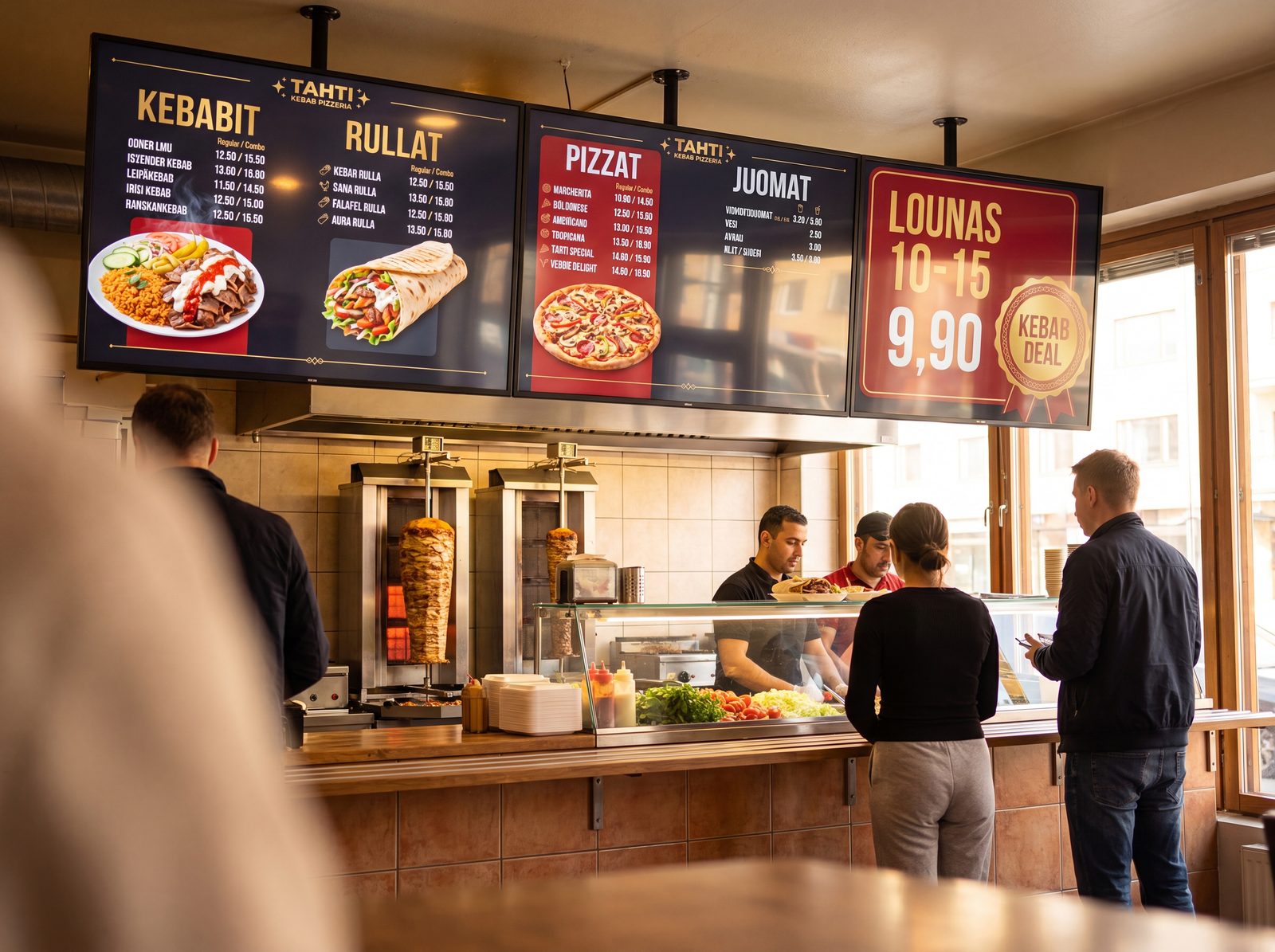
Two digital TV menu screens above the counter in a kebab-pizzeria — Creavo Screen
Features

Everything for screen management — in one app

Creavo Screen brings content, screens and publishing together in one clear dashboard. Add content, select screens, schedule publishing and update remotely — without any on-site technical work.

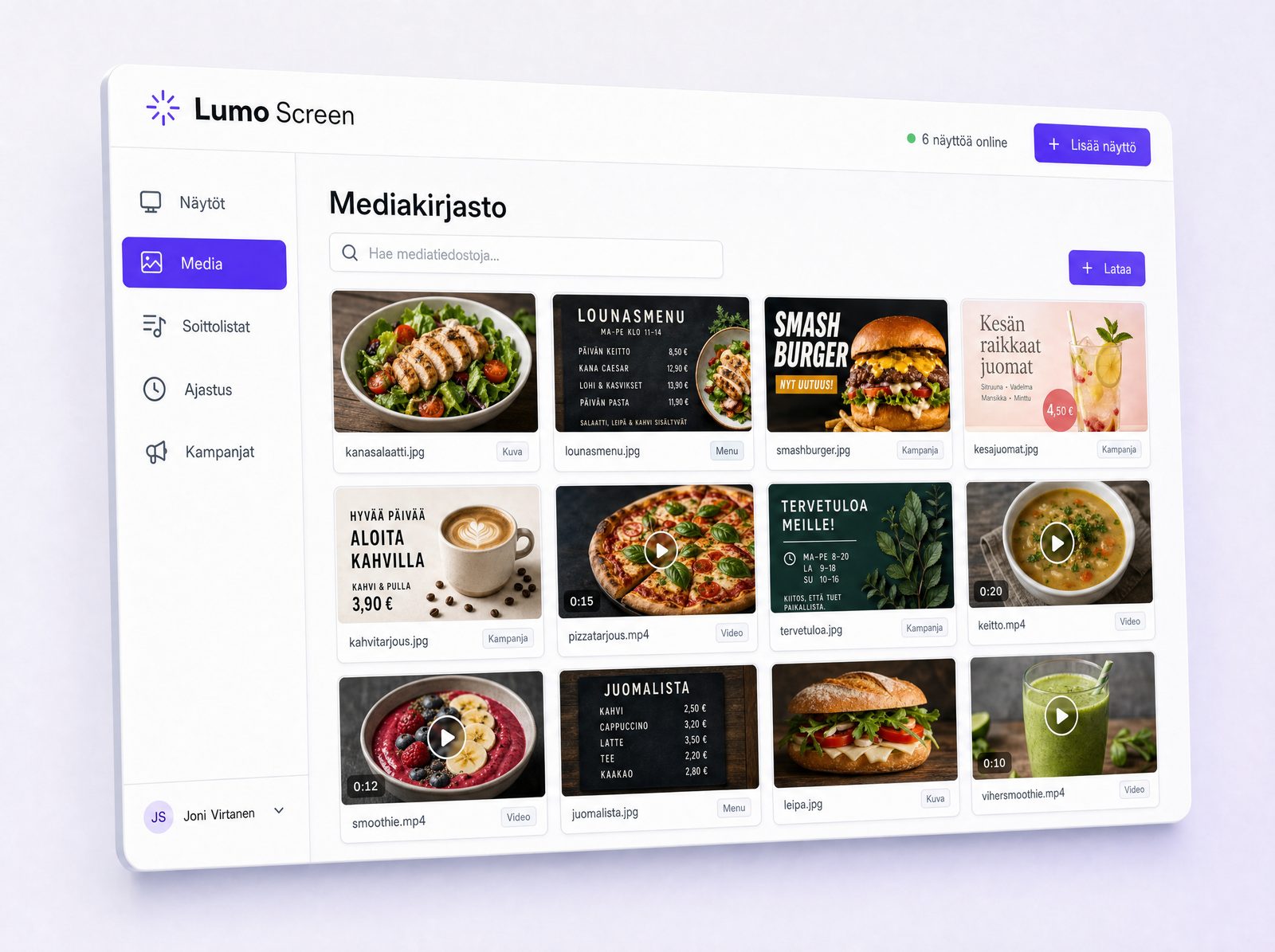
Creavo Screen media library: images, videos, menus and campaigns in one place
01 Content library

All your content in one place

Creavo Screen serves as the home for your business's digital content. Upload images, videos, menus, campaigns, ads and presentation materials to the system, and publish them to the right screens directly from the dashboard.

  • Media library for images and videos
  • Ad materials and campaigns
  • Menus, lunch menus and presentations
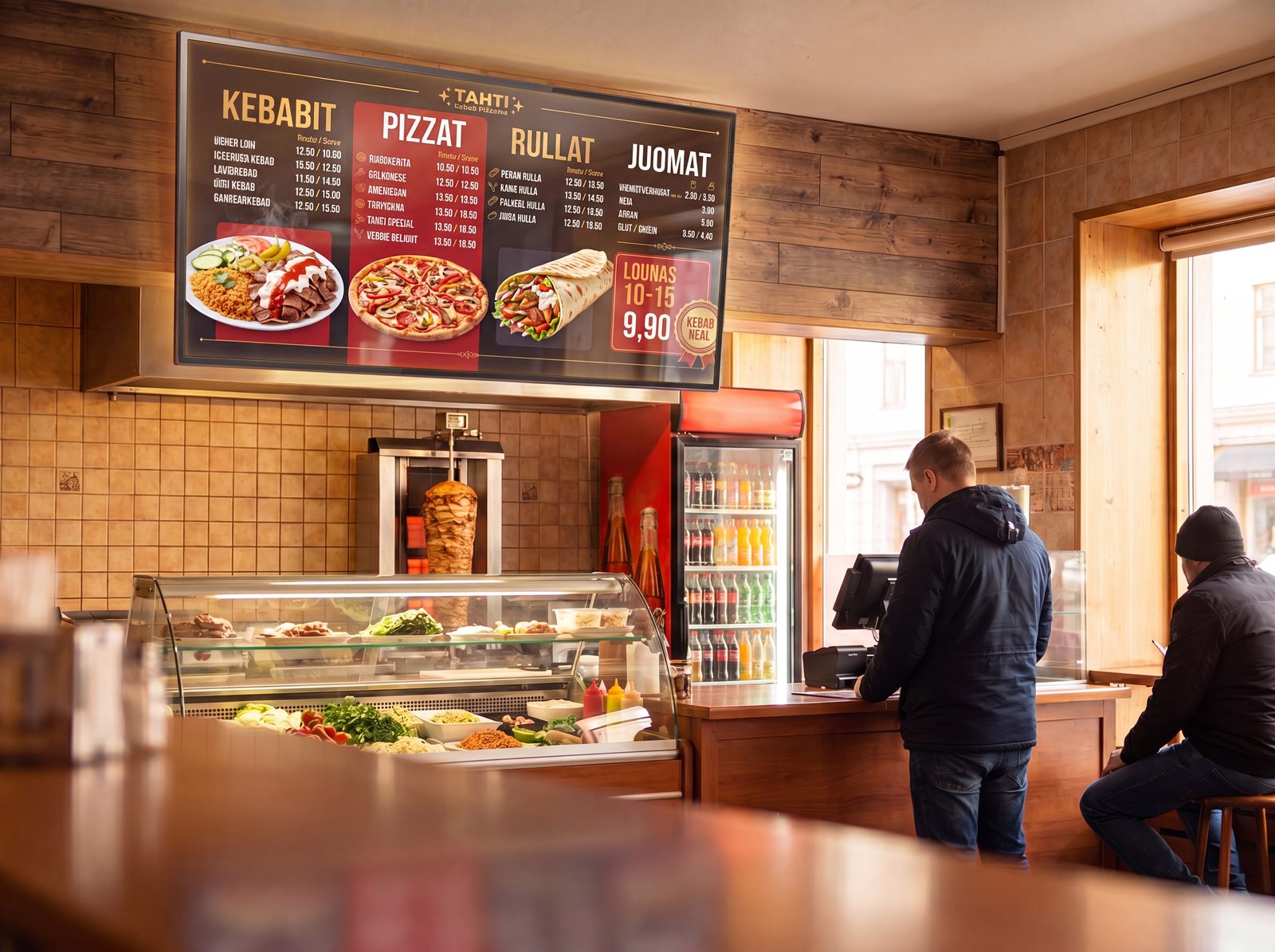
Digital menu screen above the counter in a kebab-pizzeria — menu updatable remotely
02 Remote updates

Update menus and ads easily

Creavo Screen makes updating menus, lunch specials, offers and ads effortless. Change prices, products, images and campaigns directly from the dashboard — publish immediately or schedule for a specific date and time.

  • Menu updates and ad changes
  • Price and product updates
  • Scheduled publishing and remote updates
A row of digital menu screens above the counter — multiple screens managed from one Creavo Screen account
03 Multiple screens

Multiple TV screens under one account

Manage multiple TV screens from a single account. Screens are activated in the system, after which you can easily choose which screen to publish content to. Update one screen, several or all at once — in the same space, different rooms or different locations.

  • Manage multiple screens from one place
  • Publish to selected or all screens
  • Remote management across different locations
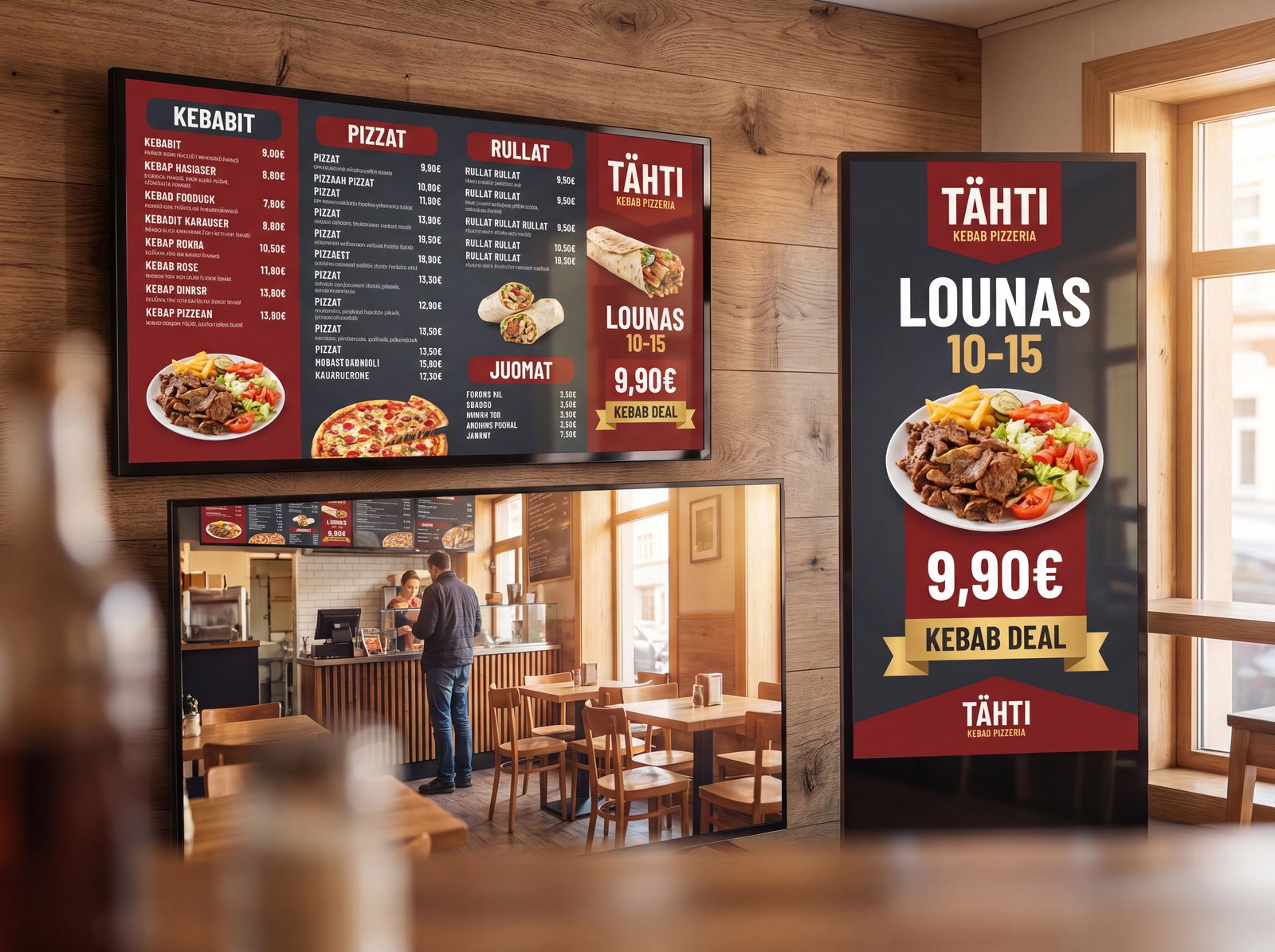
A landscape menu screen and portrait ad screen side by side in a restaurant
04 Landscape & portrait

Works with landscape and portrait screens

Creavo Screen supports both landscape and portrait screens. Use the same system for TV screens, digital menu boards, info screens, campaign screens and portrait ad displays — content looks clear on different screen sizes.

  • Landscape and portrait screens
  • TV, menu and info screens
  • Responsive content views
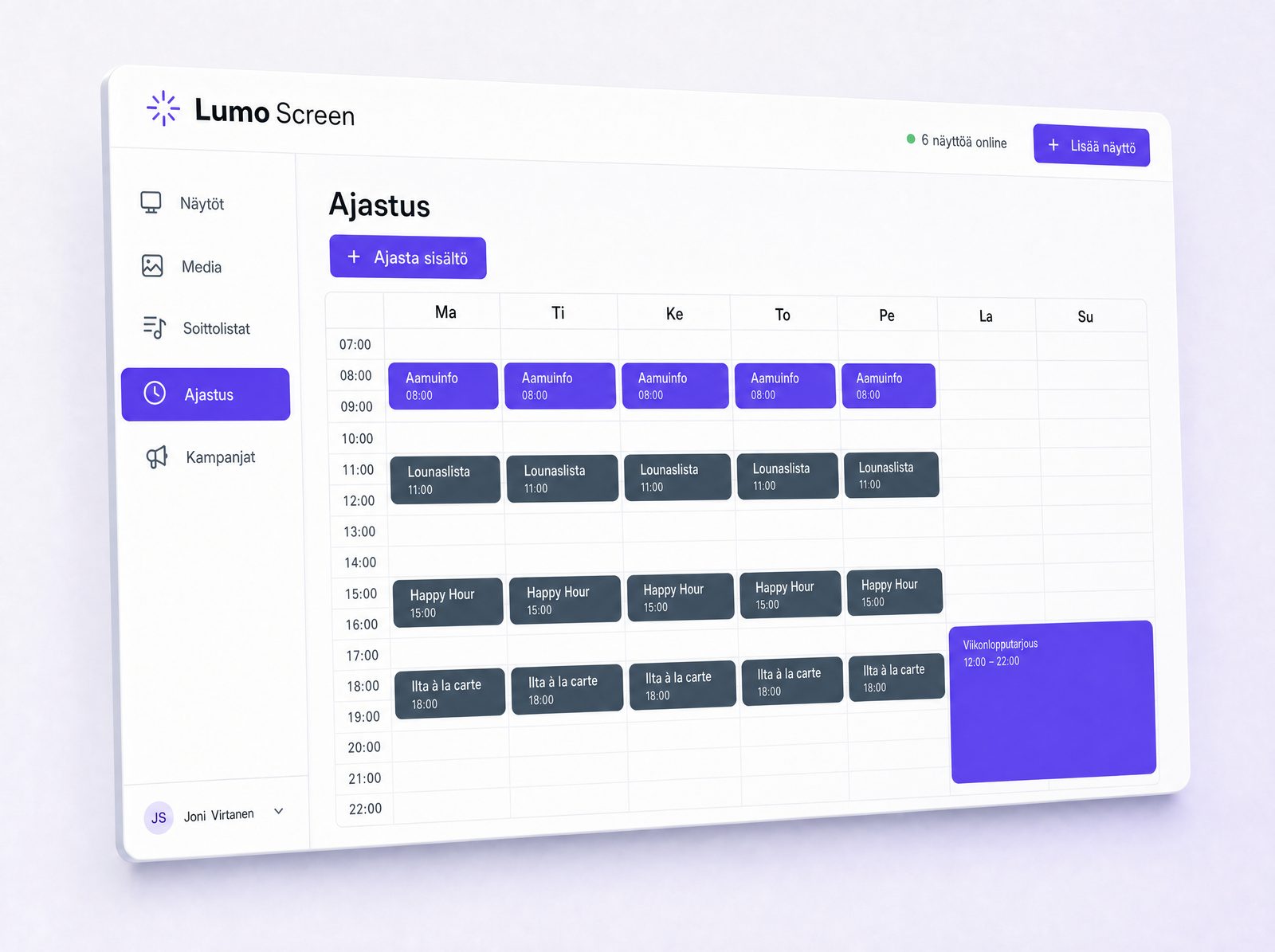
Creavo Screen scheduling: weekly calendar with content scheduled at different times
05 Scheduling

Schedule content in advance

With scheduling, you plan content in advance. Ads, menus and campaigns are scheduled to appear at the right time on the right screens — for example, a lunch menu at midday, a campaign in the afternoon and a weekend special on selected days.

  • Day and time-based scheduling
  • Campaign and menu scheduling
  • Per-screen scheduling
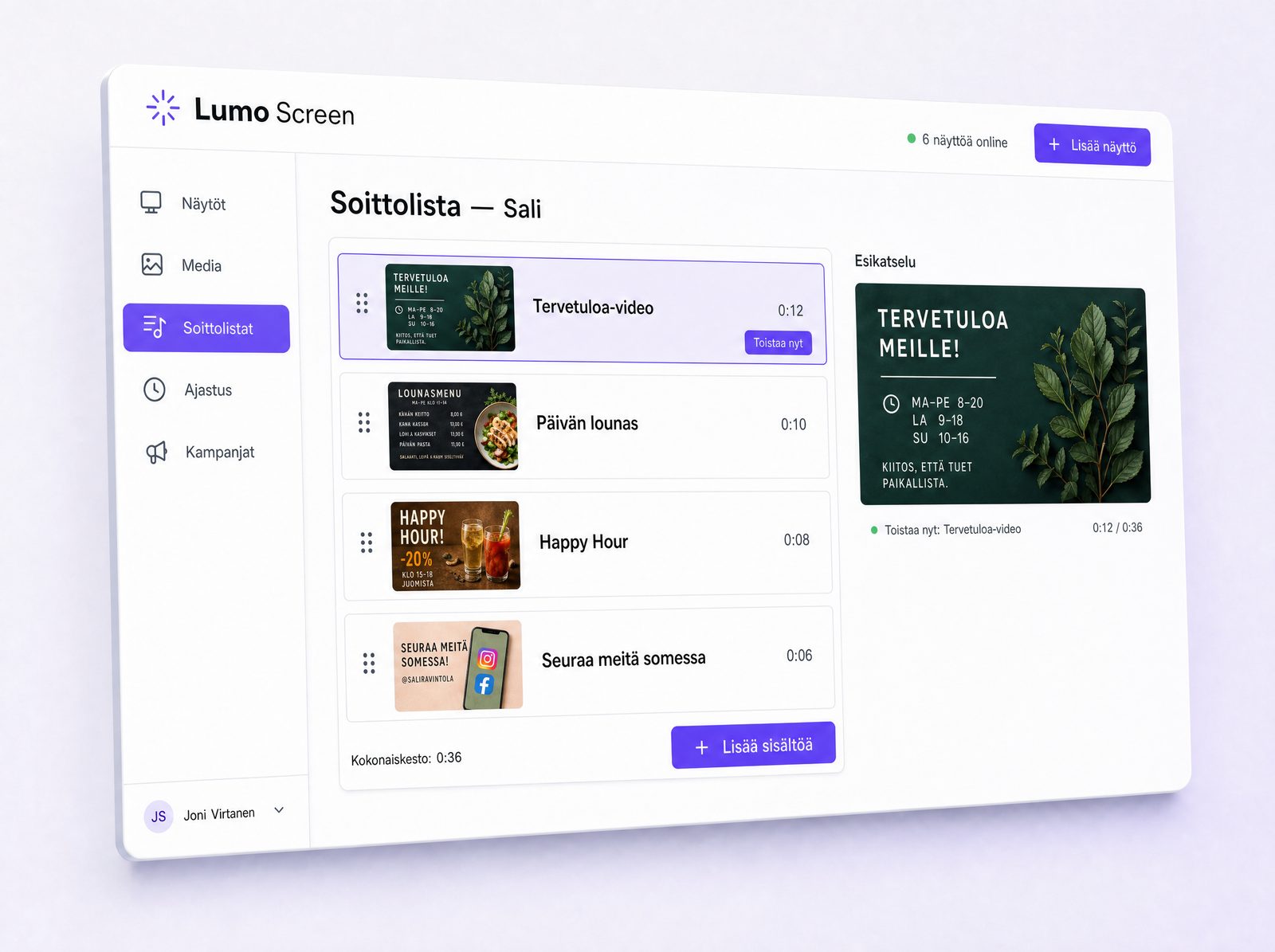
Creavo Screen playlist: content queued for automatic playback
06 Playlists

Playlists and ready-made content packages

Build playlists from your content that play automatically on screens. Playlists can include images, videos, ads, menus and info content. Create different playlists for different screens, times or purposes.

  • Playlists for images and videos
  • Per-screen content packages
  • Automatic playback
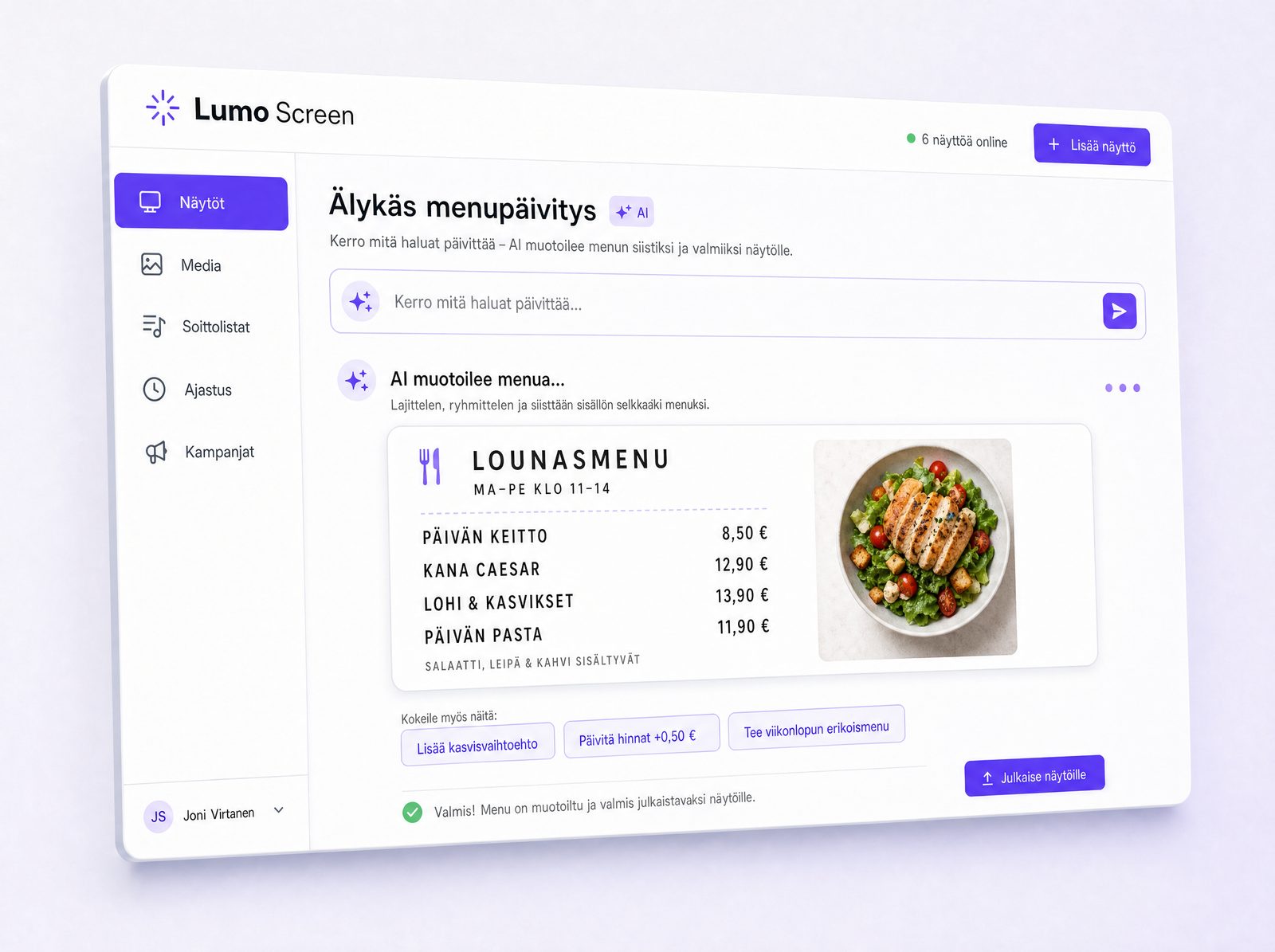
AI formats the menu to fit the screen in Creavo Screen
07 AI menu

Smart menu updates with AI

Creavo Screen can be connected with AI-assisted menu updates, making it easier to format menus, lunch specials and campaigns for screens. Particularly useful for restaurants and cafés where menus and daily specials change frequently.

  • AI-assisted menu updates
  • Menu and lunch menu formatting
  • Clear screen-ready structure, faster
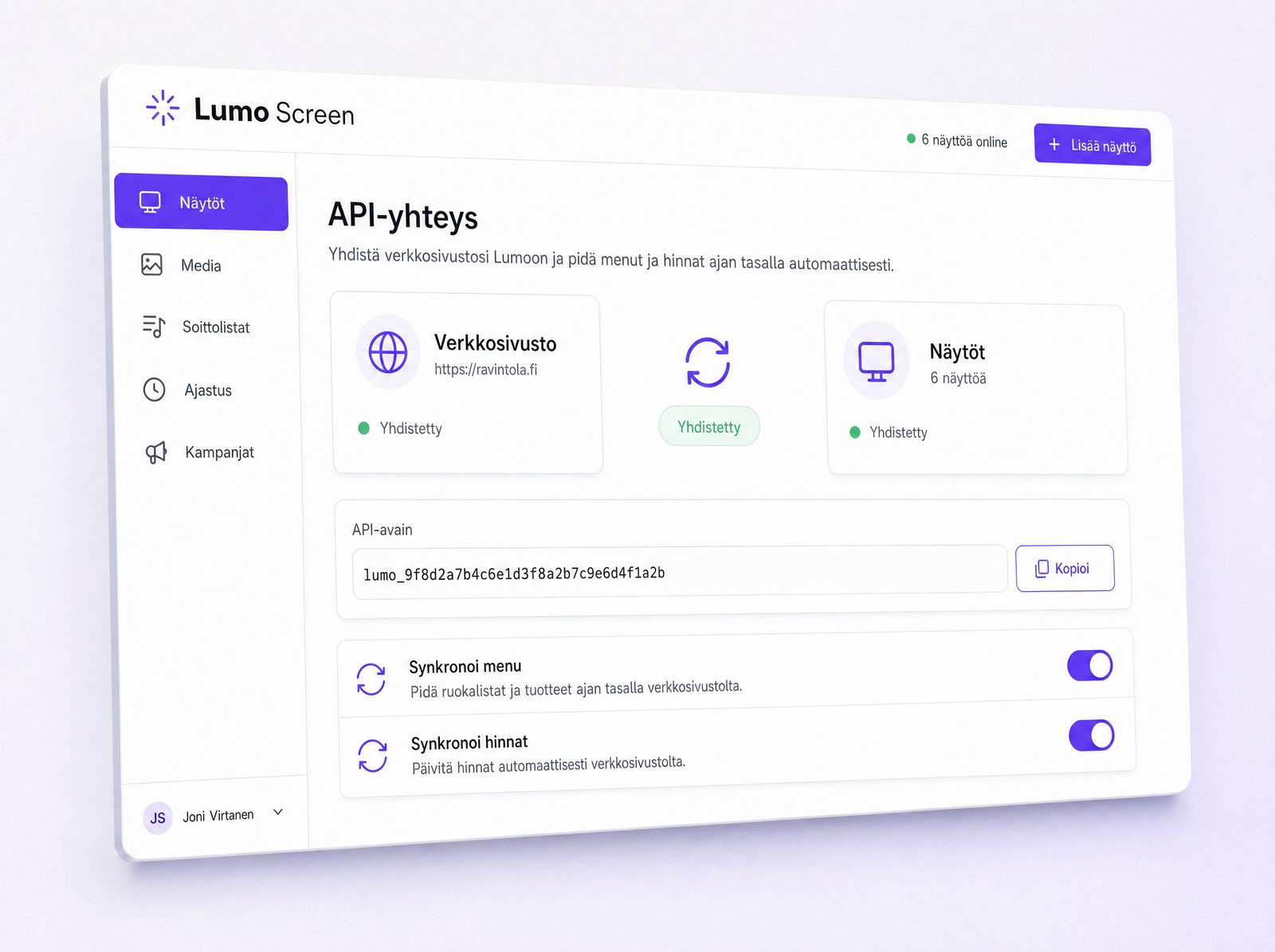
Website and screens synchronised — the same menu and prices update automatically
08 API connection

API connection between website and screens

Creavo Screen can be connected to your website via an API. The same content stays up to date on both the website and the screens — when information is updated in one place, it appears in the right channels without duplicate work.

  • API connection to website
  • Menu data transfer and price management
  • Same content across different channels
Use cases

Who is Creavo Screen for?

For businesses that want to manage digital screens easily and keep content up to date without unnecessary hassle.

Restaurants and cafés

Menus, lunch specials, campaigns, offers and info screens.

Shops and commercial spaces

Product ads, seasonal campaigns, offers and current highlights.

Offices and businesses

Internal communications, announcements, presentations and info screens.

Events and exhibitions

Schedules, signage, programmes, presentations and ad materials.

Receptions and service points

Instructions, services, queue information and current notices.

Gyms and wellness

Class schedules, campaigns, member communications and instructions.

Schools and educational institutions

Announcements, schedules, events and internal communications.

Summary

Everything you need for screen management

Multiple screen management Screen activation to account Images, videos, ads and presentations Menus and lunch menus Playlists Scheduling Landscape and portrait screens AI-assisted menu updates API connection to website Remote management No USB sticks No separate media players

Want to manage your screens more easily?

Creavo Screen brings screens, content, menus, ads and campaigns into one clear app. Update remotely, schedule publishing and keep all your screens up to date.

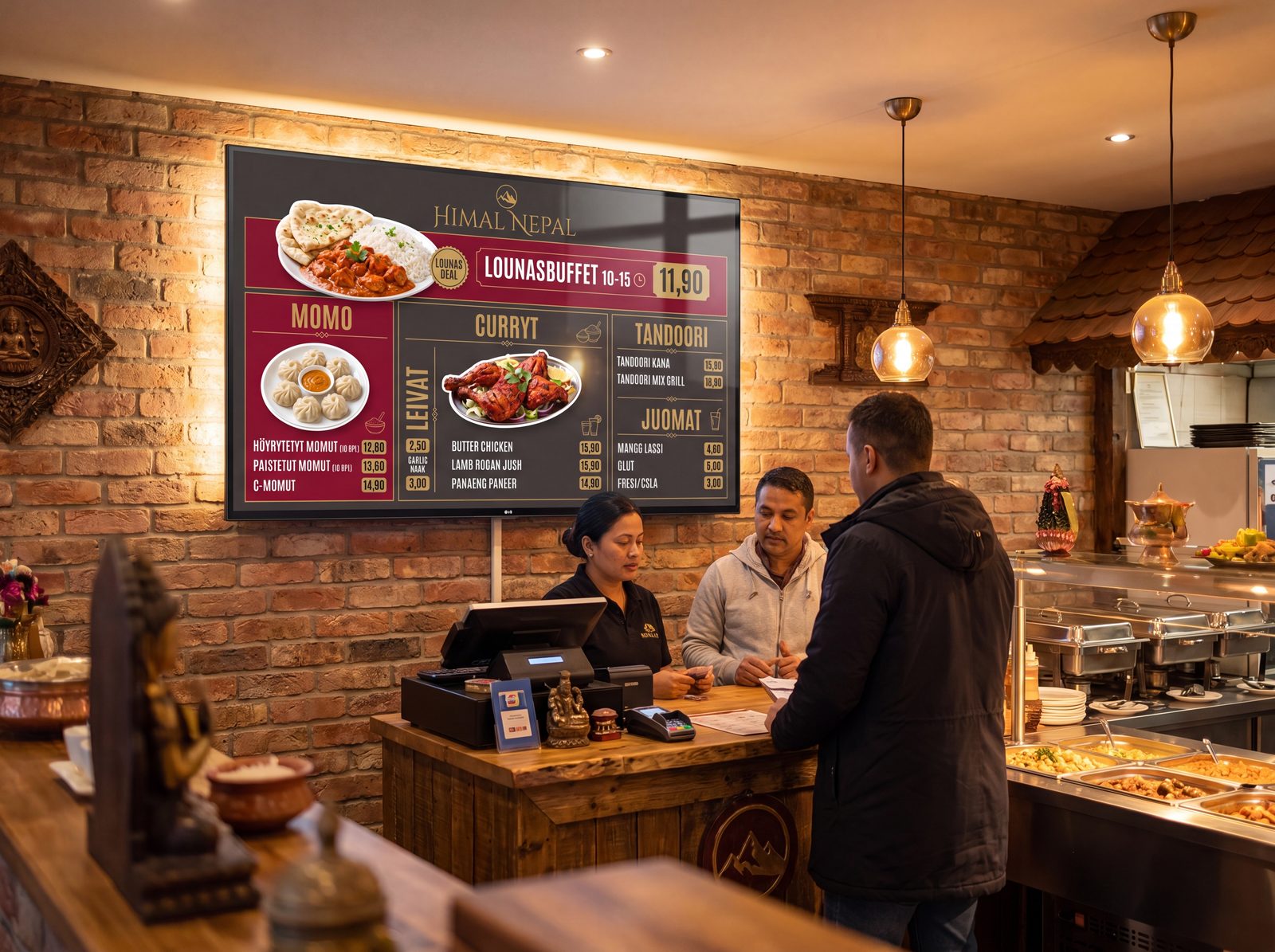
Digital menu screen above the ordering counter in a restaurant